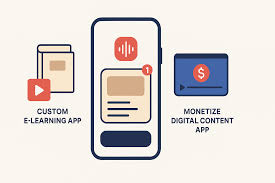
The best way to monetize a no-code app involves choosing revenue models that fit your app’s function and your audience. Common methods include one-time purchases, recurring subscriptions, freemium upgrades, in-app advertisements, and offering premium features or services.
What is No-Code App Monetization?
Monetizing a no-code app means finding ways to earn money from the app you built. This is without needing to write any computer code. It’s about making your app a business.
You worked hard to create it. Now, you want it to pay for itself. It might even make you a profit.
This can happen in many different ways. We will explore these ways together. It’s like selling a product or service, but your product is your app.
Think about it. You have a useful tool. People want to use it.
Monetization is simply asking for fair payment for that use. It’s not about being greedy. It’s about making your project sustainable.
It’s about allowing you to keep improving the app. It also lets you build more great things in the future. No-code tools make building the app easy.
They also make thinking about money easier.
The goal is to find a balance. You want to offer value to your users. You also want to get value back.
This value can be money. It can also be other things. But for business, money is usually key.
We will focus on how to get that money. We will look at what works. We will also look at what might not work for your specific app.
My First No-Code App Struggle
I remember building my first real no-code app. It was a simple daily planner. It helped people track small tasks.
I used a popular drag-and-drop builder. It took me about two weekends to finish. I was so proud!
I showed it to friends. They loved it. They said, “You should charge for this!” That’s when the panic hit me.
Charge? How? I had no idea about payment systems.
I had never sold anything digital before. It felt like a huge hurdle. I thought maybe I should just give it away.
But I also wanted to keep making it better. I spent hours fixing bugs and adding small features. I felt stuck.
It was exciting but also a little scary. This feeling is very normal for first-time app creators.
I spent days reading articles. I looked at other apps. Most of them had a price tag or a subscription.
I didn’t want to scare people away. So, I just kept my planner free. But then, I started getting feature requests.
People wanted more storage. They wanted advanced sorting. I couldn’t add those things without more time.
And I didn’t have a way to get money for that time. It was a classic case of a great idea that stalled. It was stuck because the creator (me!) didn’t know how to make it a business.
This experience taught me a lot. It showed me that building is only half the battle. Making money is the other, equally important half.
No-Code Monetization Quick Guide
Know Your Audience: Who are you building for? What do they value most?
Match Model to App: Does your app provide ongoing value (subscription)? Or is it a one-time tool (purchase)?
Start Simple: Don’t overcomplicate things at first. Pick one or two methods.
Test and Adapt: What works for one app might not work for another. Be ready to change.
Common Ways to Make Money with Your No-Code App
There are several popular paths you can take to monetize your no-code app. Each one works best for different types of apps and user bases. Let’s break them down.
Think about which one feels like the best fit for what you’ve built.
1. One-Time Purchase
This is the most straightforward method. People pay a single price for your app. After they pay, they own it.
Or, they get full access to all its features. This works well for apps that offer a complete solution. Think of a calculator app or a simple game.
Once they have it, they don’t need to pay again for the core function.
For a no-code app, you can set this up through app stores. Or, you can use payment gateways. These are services that handle the transaction securely.
Services like Gumroad or Paddle can help. They make it easy to sell digital products. Your app could be a downloadable file.
It could also be access to a web-based tool.
One-Time Purchase Pros & Cons
Pros:
- Simple for users.
- Predictable revenue for each sale.
- No ongoing support needed for old versions.
Cons:
- Users expect a complete, polished product upfront.
- No recurring income.
- Harder to fund ongoing development.
2. Subscription (Recurring Payments)
Subscriptions are very popular. Users pay a fee regularly. This could be monthly or yearly.
They get access to your app as long as they pay. This model is great for apps that provide continuous value. Think of streaming services like Netflix.
Or, apps that offer new content or services often. For no-code apps, this could be access to a community. It could be regular data updates.
It could also be premium support.
Stripe is a common tool for handling recurring payments. Many no-code platforms integrate with Stripe. This makes setting up subscriptions easier.
Your app would check if the user’s subscription is active. If it is, they get full access. If not, they might get limited access or a prompt to pay.
This model creates predictable income. It helps you fund ongoing development. It also builds a loyal user base.
However, users expect constant updates and support. They need to feel they are getting their money’s worth.
Subscription Model Example
App Type: Project Management Tool
What Users Get: Unlimited projects, team collaboration, advanced reporting, priority support.
Pricing: $15/month or $150/year.
Why it works: Businesses need ongoing project management. They see the value in a stable, feature-rich tool.
3. Freemium Model
Freemium is a blend. You offer a basic version of your app for free. This attracts many users.
Then, you offer premium features. Users pay to unlock these better features. This is like a free trial.
But the free version is not time-limited. It’s feature-limited instead.
This model works well for apps with broad appeal. Many productivity apps use it. For example, a note-taking app might offer basic notes for free.
But it charges for cloud sync or advanced formatting. Your no-code app could work the same way. Offer limited storage for free.
Then charge for more storage.
The challenge here is balancing free and paid features. The free version must be useful enough to attract users. But it shouldn’t be so good that no one upgrades.
The premium features must offer significant extra value.
Freemium Strategy: The Balance Act
Free Tier: Enough functionality to solve a basic problem and hook users.
Paid Tier: Offers significant advantages. This includes more power, convenience, or features not available to free users.
Conversion: Clear upgrade paths and compelling reasons to pay.
4. In-App Advertisements
This is common for free apps. You show ads to your users. You earn money each time someone sees or clicks an ad.
Google AdMob is a popular platform for this. Many no-code builders can integrate with AdMob.
This model relies on a large number of users. You need many people using your app to earn significant money. It works best for apps that users open frequently.
Think of simple games or utility apps. However, ads can sometimes annoy users. They can interrupt the user experience.
You need to be careful where and how you place them.
For no-code, you can often add ad units easily. You just need to follow the platform’s guidelines. Make sure the ads don’t take over your app.
The user should still be able to use your app easily.
Ad-Based Monetization Tips
User Experience First: Ads should not ruin the app’s usability.
Targeted Ads: If possible, show ads relevant to your users’ interests.
Placement Matters: Avoid intrusive banner ads. Consider rewarded videos (users watch an ad for a small in-app reward).
5. Transaction Fees or Commissions
If your app facilitates transactions between users, you can take a small cut. This is common for marketplaces or booking platforms. For example, an app that connects freelance writers with clients could take a percentage of each completed job.
Etsy is a great example of this.
Your no-code app would need to handle payments. Then, it would automatically take a fee before sending the rest to the seller or service provider. This requires careful setup of payment processing.
It also needs clear terms for users. Services like Stripe Connect can help automate this for marketplaces.
This model scales well. As your app’s usage grows, so does your revenue. It directly ties your earnings to the value your app creates for its users.
Transaction Fee Success Factors
Platform Value: Your app must provide a valuable service for buyers and sellers.
Trust: Users must trust your platform to handle payments securely.
Clear Fees: Be upfront about the percentage you take.
6. Selling Digital Products or Services
Your no-code app can be a platform to sell other things. This could be e-books, online courses, templates, or even consulting services. Your app acts as the storefront.
For instance, a fitness app might offer free workout plans. But it sells premium personalized training programs. Or, a graphic design tool could offer basic templates for free.
Then sell premium asset packs. This works best when the digital products complement your app.
You can integrate e-commerce features. Many no-code tools allow this. Or, you can link out to a separate sales page.
This is a good way to diversify your income. It uses your existing user base to sell related items.
Selling Extras: What Works
Complementary Items: Products should enhance the app’s core function.
High Value: Offer something users can’t easily get elsewhere.
Easy Purchase: Make the buying process as simple as possible within your app.
Real-World Contexts for No-Code App Monetization
Let’s look at how these monetization strategies play out in real homes and businesses across America. The context matters a lot. What works in California might be different in Florida.
Think about the environment your app lives in. Also, consider the habits of your users.
Environmental Factors
The climate and location can influence app usage. An app for tracking snowstorms in Colorado will have different users than an app for managing beach vacations in Hawaii. This affects demand.
It also affects when people are likely to use and pay for your app.
For example, a local service finder app might do very well in densely populated urban areas. People there often need quick access to services. In rural areas, word-of-mouth or established local businesses might be more common.
Your monetization strategy needs to fit the local economy and user needs. If your app relies on real-time data, like traffic or weather, ensure your no-code platform can handle that reliably across different regions.
User Habits and Behaviors
People in the U.S. have diverse habits. Some are always on their phones.
Others use apps for specific tasks. Understanding these habits is key. Do your users prefer to pay once for a tool?
Or are they used to monthly subscriptions for services?
For instance, younger generations might be more comfortable with subscription models. They see them as a way to access services without large upfront costs. Older demographics might prefer one-time purchases.
They like owning the product outright. Your no-code app’s design should make it easy for users to adopt your chosen payment method. A confusing checkout process can kill sales, no matter how good your app is.
Design and Material Choices (for your App)
In no-code, “design and material” refers to the tools you use and how you structure your app. The platform you choose is like the building material. Some platforms are better for certain monetization types.
For example, some no-code app builders have built-in e-commerce. Others are better for simple content delivery. The design of your app’s interface is also crucial.
Is it intuitive? Does it clearly guide users towards paying for premium features or subscriptions?
If your app uses a lot of data or complex functions, you need a robust no-code platform. This ensures it can handle the demands of your monetization strategy. A shaky app will drive users away.
They won’t trust it with their money.
User Behavior and Payment
How do people typically pay for things online? They want convenience and security. If your no-code app requires users to create complex accounts or navigate complicated payment forms, they will leave.
Services like PayPal, Stripe, and Square are familiar to most Americans. Integrating these familiar options makes users more comfortable paying.
For example, if you offer a subscription, make sure the cancellation process is also clear. While you don’t want people to cancel, a difficult cancellation process can lead to chargebacks and bad reviews. Transparency builds trust.
Trust leads to more paying customers over time.
Scenario: A Local Business App
App Idea: A simple booking app for a local dog groomer in suburban Ohio.
Monetization Strategy: The groomer pays a monthly subscription fee for the app to manage appointments and client info.
Why it works: The groomer gets a professional, easy-to-use system. The app developer gets steady income. The app is vital for the business, justifying the subscription.
What This Means For Your No-Code App
Understanding these contexts helps you pick the right path. It’s not just about building a cool app. It’s about building a viable business around it.
When is your chosen method normal? When should you start to worry?
When It’s Normal
It’s normal to start with one primary monetization method. For many, this is a one-time purchase or a subscription. It’s also normal to see slow growth at first.
Most successful apps didn’t become overnight sensations. They grew steadily by offering real value.
It’s normal to offer a free tier or trial. This lets users experience your app. It helps them decide if it’s worth paying for.
It’s normal to adjust your pricing over time. As you learn more about your users, you can fine-tune what they are willing to pay.
If your app is simple and solves one problem well, a one-time purchase is often normal. If your app needs constant updates and provides ongoing utility, a subscription is normal. If your app has a large user base but limited direct value per user, ads can be normal.
The key is that your chosen method aligns with your app’s function.
When to Worry
You should worry if very few people are paying. If you have thousands of free users but only a handful of paying customers, something is wrong. This could mean your premium features aren’t valuable enough.
Or, your pricing is too high. It could also mean the free version is too good.
Worry if users are constantly complaining about ads. If ads are making your app unusable, that’s a red flag. Users might leave your app entirely.
Worry if your subscription numbers are declining. This suggests users aren’t finding ongoing value. Or, they found a better alternative.
If your chosen payment method is causing technical problems, worry. Your no-code platform might not be stable enough. Or, the payment integration is faulty.
This erodes trust. Never ignore negative feedback about pricing or payment issues. It’s your direct line to what’s not working.
Simple Checks You Can Do
Check conversion rates: How many free users become paying users? Aim for a healthy percentage based on your industry.
Monitor churn rate: For subscriptions, how many people cancel each month? A high churn rate is a major warning sign.
Read user reviews: What are people saying about your pricing and features?
Track revenue per user: Is this number growing or shrinking over time?
Compare to competitors: What are similar apps charging? How do they monetize?
Quick Health Check for Your App’s Monetization
Conversion Rate: Free users to paid users.
Churn Rate: Percentage of subscribers who leave.
Average Revenue Per User (ARPU): Total revenue divided by total users.
Customer Lifetime Value (CLV): Total expected revenue from one customer.
Tips for Successful No-Code App Monetization
Making money from your no-code app isn’t magic. It involves smart choices and clear execution. Here are some tips to help you succeed.
- Start with a clear problem: Your app must solve a real pain point for people. The stronger the problem, the more people will pay for a solution.
- Build a Minimum Viable Product (MVP): Don’t wait until your app is perfect. Launch with core features. Test your monetization strategy early.
- Understand your customer’s value: What is your app worth to them? Price your offerings based on this perceived value, not just your costs.
- Focus on user experience (UX): A smooth, easy-to-use app encourages purchases. A clunky app drives people away. This applies to the payment process too.
- Be transparent: Clearly explain what users get for their money. No hidden fees. No confusing terms.
- Offer excellent support: Even with no-code, users expect help. Good support builds trust and loyalty. This leads to more sales and fewer cancellations.
- Gather feedback: Talk to your users. Ask them what they like. Ask what they don’t like. Use this feedback to improve your app and your pricing.
- Don’t be afraid to pivot: If your initial monetization strategy isn’t working, be willing to change it. Try a different model or adjust your pricing.
Key Takeaways for Monetization
Value Proposition: Clearly define what makes your app worth paying for.
User Journey: Map out the path from discovery to purchase.
Iterative Improvement: Continuously learn and adapt your strategy based on data and feedback.
Frequently Asked Questions about Monetizing No-Code Apps
Can I really make a living with a no-code app?
Yes, absolutely! Many people are building successful businesses using no-code apps. It requires a good idea, a solid monetization strategy, and consistent effort.
Think of it as a real business, not just a hobby.
Which no-code platform is best for monetization?
The best platform depends on your app type. For mobile apps, consider Adalo or Glide. For web apps and more complex tools, Bubble is very powerful.
Look for platforms that integrate easily with payment gateways like Stripe or offer built-in e-commerce features.
How do I set up payments for my no-code app?
Most no-code platforms have integrations with popular payment processors like Stripe or PayPal. You’ll typically connect your account to the platform. Then, you can configure your pricing for one-time purchases, subscriptions, or in-app purchases directly within your app builder.
Is it better to charge a one-time fee or a subscription?
It depends on your app. If your app offers a complete, standalone solution, a one-time fee might work well. If your app provides ongoing value, services, or content, a subscription is usually more sustainable and profitable long-term.
Consider what your users expect and what model best reflects the value you provide.
What if my app is free, how can I still make money?
You can use several methods for free apps. In-app advertisements are common. You can also offer in-app purchases for premium features or virtual goods.
Another popular route is the freemium model, where core features are free, but users pay for advanced functionality or more capacity.
How much should I charge for my no-code app?
Pricing is a blend of art and science. Research what competitors charge. Understand the value your app delivers to users.
Consider your costs and desired profit margins. Start with a price you believe is fair and be prepared to adjust it based on market response and user feedback.
Conclusion
Building a no-code app is a huge accomplishment. Turning it into a revenue-generating business is the next exciting step. You have many options, from one-time sales to recurring subscriptions.
Each path requires understanding your users and your app’s unique value. Don’t be afraid to experiment. Test different strategies.
Most importantly, focus on providing real value. Your no-code app can absolutely be a successful venture.