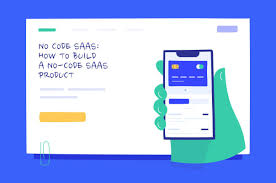
Launching a no-code SaaS means using special tools to build software without traditional coding. This lets anyone create and sell their own online services or applications. It’s a faster, more affordable way to get your business idea running.
What Is a No-Code SaaS?
A SaaS is short for Software as a Service. Think of Netflix, Spotify, or even your email service. You pay a fee, usually monthly or yearly, to use their software online.
You don’t install it on your computer. You just log in from anywhere.
A no-code SaaS takes this idea and makes it possible to build without knowing how to code. These platforms give you visual tools. You drag and drop things.
You click on options. You connect different parts together. It’s like building with digital LEGOs.
You can create complex applications and services.
The core idea is democratization. It breaks down the barrier to entry for creating software. Many entrepreneurs and small businesses are turning to no-code.
They want to test ideas quickly. They need to get to market fast. They want to save money on development.
Why Consider a No-Code SaaS?
Many people wonder if this is a real option for them. Is it truly possible to build something valuable without writing code? The answer is a resounding yes.
The tools have gotten incredibly powerful. They allow for sophisticated logic and user interfaces.
Here are a few reasons why a no-code SaaS is a smart move:
- Speed to Market: You can build and launch your product much faster. Traditional development can take months or years. No-code can sometimes take weeks or even days for an initial version.
- Lower Cost: Hiring developers is expensive. No-code platforms have subscription fees, but they are usually far less than a developer’s salary. This is great for bootstrapped startups.
- Accessibility: You don’t need a computer science degree. If you can think through a process, you can likely build it with no-code.
- Iteration: Need to make a change? No-code makes it easy. You can tweak your application on the fly. This helps you adapt to customer feedback.
- Focus on Business: You can spend more time on marketing, sales, and customer service. You’re not bogged down by technical issues.
Getting Started: Your Idea Matters Most
Before you even look at a no-code tool, focus on your idea. What problem does your SaaS solve? Who are you solving it for?
Really dig into this. A great idea with no-code is better than a weak idea with traditional code.
Think about these things:
- Target Audience: Who will use your software? What are their needs and pain points?
- Core Functionality: What is the absolute minimum your software needs to do to be useful?
- Monetization: How will you make money? Subscription plans? One-time fees?
- Unique Value: What makes your SaaS different from what’s already out there?
I remember when I first thought about building a small tool for my clients. It was a simple booking system. I had a clear idea of what it needed to do.
I knew who would use it. But the thought of hiring someone to code it seemed too big. Then I discovered no-code.
It felt like a magic wand. I could see my idea taking shape visually. That’s when the real journey began.
Choosing the Right No-Code Platform
This is a big step. There are many no-code platforms out there. They all do slightly different things.
Some are better for websites. Others are great for databases. Some are built specifically for building web applications like SaaS.
Here are some popular categories and examples:
- Web App Builders: These are often the best choice for SaaS. They handle user accounts, databases, and complex workflows. Examples include Bubble, Webflow (with some integrations), and Adalo.
- Database Tools: If your SaaS is heavily data-driven, tools like Airtable or Xano can be your backend. You might connect them to a frontend builder.
- Automation Tools: For connecting different apps or automating tasks, tools like Zapier or Make (formerly Integromat) are useful.
When choosing, consider:
- Complexity: How complex are your app’s features? Some tools handle more complexity than others.
- Scalability: Can the platform grow with your user base?
- Integrations: Does it connect with other services you might need (like payment processors or email marketing)?
- Learning Curve: How easy is it to learn the platform?
- Pricing: Does the cost fit your budget as you grow?
Choosing Your No-Code Stack
Think of your no-code stack like the foundation and walls of a house. You need a strong base.
Frontend (What Users See)
This is the visual part. Tools like Bubble or Webflow let you design interfaces.
Backend (Data & Logic)
This handles user accounts, saving data, and complex rules. Bubble has a built-in backend. Xano is a powerful standalone option.
Integrations (Connecting Apps)
Use Zapier or Make to link your no-code app to other services like Stripe for payments.
Building Your Minimum Viable Product (MVP)
An MVP is your first version of the product. It has just enough features to satisfy early customers. It also gives you feedback for future development.
For a no-code SaaS, this is crucial. You want to test your core idea without building everything.
Focus on the main problem you’re solving. What are the essential steps a user must take? Build only those steps.
Don’t get caught up in adding every possible feature at the start.
For instance, if you’re building a task management app, the MVP might only include:
- Creating a new task
- Marking a task as complete
- Viewing your tasks
Features like collaboration, notifications, or file attachments can come later. This keeps your development focused and fast.
When I built my first tool, I wanted it to do everything. I wanted fancy dashboards and color-coding. But my mentor told me to strip it down.
Just make it work. It was hard to let go of those extra ideas. But once I launched the simple version, I got amazing feedback.
Users told me what they really needed. It saved me so much wasted effort.
Designing the User Experience (UX)
Even with no-code, design matters. A confusing or ugly interface will drive users away. Think about how someone will interact with your app.
Make it intuitive and easy to use.
Here are some design tips:
- Keep it Simple: Use clean layouts. Avoid too many colors or fonts.
- Clear Navigation: Users should know where to go to do things.
- Consistent Design: Buttons and links should look and act the same everywhere.
- Mobile-Friendly: Most people use their phones. Make sure your app looks good on small screens.
- Call to Actions: Make it obvious what you want users to do next (e.g., “Sign Up,” “Create Task”).
No-code tools often provide templates. These can be a great starting point. But don’t be afraid to customize them to fit your brand and user needs.
Your goal is to make the user’s journey smooth and pleasant.
UX Principles for Your SaaS
Clarity:
Users should understand what’s happening. Use clear labels and simple language.
Efficiency:
Help users complete tasks quickly. Minimize clicks and steps.
Feedback:
Let users know their actions were successful. Show confirmation messages.
Consistency:
Design elements and navigation should be the same across your app.
Setting Up Payments
A SaaS needs a way to get paid. Most no-code platforms integrate with popular payment gateways. Stripe is the most common and is very powerful.
PayPal is another option.
You’ll typically need to:
- Create an account with the payment provider.
- Connect your no-code app to your payment account.
- Set up your pricing plans within the payment provider’s system.
- Integrate the payment flow into your app. This usually involves a button that sends the user to checkout.
This might seem technical, but no-code platforms make it quite straightforward. They often have pre-built components for this. You just need to configure them with your account details.
Ensure you understand the fees associated with payment processors. These are standard for any online business.
Testing Your No-Code SaaS
Before you launch, testing is critical. You need to find bugs. You need to see if everything works as expected.
This is where your attention to detail pays off.
Test in several ways:
- Manual Testing: Click through every feature. Try to break it.
- User Testing: Ask friends or potential customers to try it. Watch them use it. Don’t tell them how.
- Edge Cases: What happens if a user enters weird data? What if they have a slow internet connection?
- Payment Tests: Use test credit card numbers to ensure the payment flow works without charging real money.
When I launch something new, I always recruit a few people. I give them a small task to complete using the app. Their struggles are my goldmine.
I often see them try to do something I never even thought of. That’s invaluable information for fixing things before everyone sees them.
Quick Test Checklist
Launching Your SaaS
The big day! Launching your no-code SaaS should feel exciting. But remember, this is just the beginning.
Your MVP is out there. Now, you need to get users.
Consider your launch strategy:
- Soft Launch: Release it to a small group first. Gather more feedback.
- Public Launch: Announce it widely.
- Marketing: How will people find you? Social media? Content marketing? Paid ads?
Don’t expect perfection on day one. You will get bugs. You will get feature requests.
That’s normal for any software. The beauty of no-code is you can fix and add things quickly.
Gathering Feedback and Iterating
This is where the magic happens for a no-code SaaS. Your users are your best resource. Listen to them.
Act on their feedback. This is how you improve your product and grow.
Set up ways to collect feedback:
- Surveys: Ask specific questions after users have been on the platform for a while.
- Feedback Forms: Have a simple form within your app where users can submit ideas or report issues.
- Direct Outreach: Email your early users and ask for their thoughts.
- Analytics: Use tools to see how users are interacting with your app. Where do they get stuck?
The ability to quickly make changes in a no-code environment means you can respond to feedback very fast. If users say a certain step is confusing, you can often adjust it within hours. This rapid iteration cycle is a huge advantage.
When to Add New Features
User Demand:
Multiple users request the same feature. This shows a real need.
Business Goals:
A new feature helps you reach a business objective, like getting more sign-ups or increasing revenue.
Competitive Edge:
A feature helps you stand out from similar offerings.
Problem Solving:
You identify a recurring issue users face and can solve it with a new feature.
Scaling Your No-Code SaaS
As your user base grows, you’ll need to think about scaling. Scaling means your application can handle more users and more data without slowing down.
No-code platforms have different scaling capabilities:
- Platform Limits: Some platforms have built-in limits on database size, server power, or the number of workflows. You might need to upgrade your plan.
- Backend Limitations: If you’re using a separate backend like Xano, ensure it can handle the load.
- Performance Optimization: Even in no-code, you can optimize. Make your workflows efficient. Reduce the amount of data loaded at once.
- Consider a Hybrid Approach: For very high-demand features, you might eventually need to rebuild them with traditional code. This is rare for many SaaS businesses, though.
Most major no-code platforms are designed to handle significant growth. They have infrastructure that scales automatically. You just need to be aware of your plan’s limits and upgrade as needed.
It’s a common journey: start no-code, see success, and then strategically upgrade or expand.
When Might No-Code NOT Be Enough?
While no-code is incredibly powerful, it’s not a magic bullet for every single project. There are limits. Understanding these is important for realistic expectations.
You might hit a wall if:
- Extreme Performance Demands: If your SaaS requires real-time, ultra-low-latency operations for millions of users simultaneously, traditional code might be needed. Think high-frequency trading platforms.
- Very Niche Integrations: If you need to integrate with a highly obscure or proprietary system that has no APIs, it might be impossible with no-code.
- Hardware Interaction: If your SaaS needs to directly control specific hardware devices in complex ways, no-code might fall short.
- Custom Code Requirements: Some specific algorithms or complex computations might be easier to implement with custom code.
For the vast majority of SaaS ideas, especially those targeting common business problems or consumer needs, no-code is more than sufficient. The key is to assess your specific requirements honestly. Many of these “limitations” can also be worked around with clever integrations or by adjusting the scope of your MVP.
The Future of No-Code SaaS
The no-code movement is not a trend; it’s a fundamental shift. Tools are getting smarter. They are becoming more powerful.
AI is starting to be integrated into no-code platforms, making them even easier to use.
We will see more sophisticated applications being built with no-code. More businesses will leverage these tools to innovate faster. The gap between what an idea is and what it can become is shrinking rapidly.
This means more people than ever can be creators and entrepreneurs.
It’s an exciting time to be building something. The power is now in the hands of problem-solvers, not just coders. Your vision, combined with these amazing tools, can create something truly special.
Frequently Asked Questions
Is a no-code SaaS truly scalable?
Yes, many no-code platforms are built for scalability. They use cloud infrastructure that can grow with your user base. You might need to upgrade your plan as you get more users, but the underlying technology can handle significant growth for most applications.
How long does it take to build a no-code SaaS?
This varies greatly depending on the complexity of your idea. A simple MVP can sometimes be built in a few days or weeks. More complex applications might take a few months.
It’s much faster than traditional coding.
Can I make money with a no-code SaaS?
Absolutely. Many successful businesses are built entirely on no-code platforms. People pay for subscriptions to access valuable software.
The key is to solve a real problem for a specific audience.
What are the biggest challenges of no-code SaaS development?
Challenges can include learning the platform, hitting platform-specific limitations for very complex features, and ensuring security and data privacy. However, these are often manageable with careful planning and choosing the right tools.
Do I need any coding knowledge at all?
No, that’s the beauty of no-code! You don’t need to write code. You use visual interfaces, drag-and-drop editors, and pre-built components.
Understanding logic and processes is more important than syntax.
What happens if the no-code platform I use goes out of business?
This is a valid concern. It’s wise to choose established platforms with strong user bases and clear roadmaps. Some platforms allow you to export your data, though exporting the entire application logic as functional code is often not possible.
Diversifying your tools or having a contingency plan can mitigate this risk.
Final Thoughts
Building a no-code SaaS is an achievable goal. It democratizes entrepreneurship. Focus on solving a real problem.
Choose your tools wisely. Start with a simple version. Listen to your users.
Iterate and grow. Your software idea is closer than you think.