
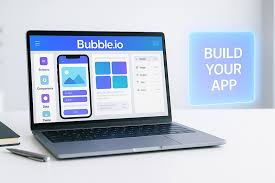
No-code app subscriptions are recurring payments for access to software that allows you to build apps without writing traditional code. Managing them involves tracking what you pay for, why you need it, and how to cancel if necessary. It’s about staying organized and saving money.
What Are No-Code App Subscriptions?
No-code tools let people create apps using visual interfaces. Think drag-and-drop builders. You can make websites, mobile apps, and even internal business tools.
Many of these services work on a subscription basis. This means you pay a regular fee, usually monthly or yearly. You get access to the platform and its features as long as you pay.
These subscriptions fund the company that built the tool. They also cover costs like server space and software updates. For you, the user, it means ongoing access.
You can keep building and running your apps. It’s a common way for software companies to make money today.
Why Do These Subscriptions Exist?
Companies offer subscriptions for a few good reasons. First, it provides steady income. This income helps them improve the software.
They can add new features and fix bugs. It also allows them to offer customer support. Users can get help when they need it.
Another reason is flexibility. You can often start with a cheaper plan. As your needs grow, you can upgrade.
If you stop needing the service, you can cancel. This is different from buying software outright. With subscriptions, you don’t own the software.
You are just paying to use it.
My Own Subscription Surprise
I remember one evening, I was looking over my credit card bill. I saw a charge I didn’t recognize at first. It was for a “Visual Builder Pro” service.
I had signed up months ago. I was excited about building a simple app for my side project. I used it for maybe two weeks.
Then I got busy with my main job and completely forgot about it.
The charge was small, just $19.99 a month. But over five months, that added up to almost $100. It wasn’t the money that bothered me most.
It was the feeling of being surprised by it. I hadn’t even opened the app in months. It made me realize how easy it is to lose track of these things.
I felt a bit foolish, but also determined to get a better handle on my subscriptions.
No-Code Tools vs. Traditional Coding
No-Code:
- Uses visual interfaces (drag-and-drop).
- Faster to build simple apps.
- No programming knowledge needed.
- Often subscription-based.
Traditional Coding:
- Requires writing code (like Python, JavaScript).
- More flexible for complex projects.
- Steeper learning curve.
- Can be a one-time purchase or open-source.
Understanding Different Types of No-Code Subscriptions
No-code tools cover a wide range. This means their subscriptions can vary a lot. Some focus on website building.
Think of services that let you create online stores easily. Others are for mobile apps. You can design and launch an app for your business.
There are also platforms for internal tools. These help businesses manage data or automate tasks. Many of these tools have different pricing tiers.
A basic plan might be very cheap. It could offer limited features or storage. A premium plan will cost more.
It usually gives you more power and support.
Some subscriptions are for specific templates or features. You might pay extra for advanced design elements. Or you might pay for access to a large library of pre-built functions.
It’s important to know what you are paying for. Always check the details of the plan.
The Appeal of No-Code for Businesses
Many businesses love no-code for its speed. They can get an app or website up and running very fast. This is great for startups.
They need to test ideas quickly. It also helps small businesses. They might not have the budget for a full development team.
No-code tools democratize app creation. They put the power in the hands of more people. A marketing manager could build a landing page.
An HR person could create an employee directory. This saves time and money for the company. It also frees up the IT department for more complex tasks.
Subscription Tiers Explained
Free Tier:
Limited features, often with branding. Good for testing.
Basic/Starter Tier:
More features, higher limits. For individuals or small projects.
Pro/Business Tier:
Advanced tools, more users, better support. For growing businesses.
Enterprise Tier:
Custom solutions, dedicated support, high security. For large organizations.
Why Tracking is So Important
The main issue with these subscriptions is losing track. It’s easy to sign up for a free trial. Then the trial ends.
The payment starts. If you aren’t watching, you might not notice. Small charges add up quickly.
Over a year, you could be paying hundreds of dollars for unused services.
Tracking also helps you see value. Are you really using the app? Is it helping you achieve your goals?
If not, it’s time to cut it. Think of it like decluttering your digital life. You want to keep what’s useful and get rid of what isn’t.
This is especially true for no-code tools. Many people try them out. They might build one small thing.
Then they move on to the next shiny tool. But the subscription keeps running. It’s important to pause and assess.
Is this tool still serving you well?
My Own Digital Decluttering Process
After my surprise credit card charge, I decided to get serious. I sat down with a spreadsheet. I went through my bank and credit card statements.
I looked for any recurring payments. I focused on tech services. This included apps, software, and online tools.
For each one, I asked myself a few questions. “What is this for?” “When did I last use it?” “Do I need it for my current projects?” If I couldn’t answer these questions clearly, or if the answer was “no,” I marked it for cancellation. It took a few hours.
But I found subscriptions I had completely forgotten about.
The relief of knowing exactly what I was paying for was huge. I also felt good about saving money. It’s a habit I try to keep up now.
I review my subscriptions every few months. It’s a small task, but it pays off big time.
Common No-Code App Uses
Websites: Landing pages, blogs, portfolios, simple business sites.
Mobile Apps: Event apps, simple directories, customer loyalty apps.
Internal Tools: Project management dashboards, CRM systems, inventory trackers.
Automation: Workflow builders, connecting different apps.
Databases: Simple data storage and management.
How to Track Your Subscriptions
There are several ways to keep track. A simple spreadsheet is a great start. You can list the service name.
Add the cost per month or year. Include the renewal date. Note down the purpose of the service.
Finally, add a column for “Action Needed” (e.g., “Keep,” “Cancel,” “Review”).
Many people use budgeting apps. These apps often link to your bank accounts. They can automatically detect recurring payments.
Some apps even categorize them for you. This makes it easier to see where your money is going. Examples include Mint, YNAB (You Need A Budget), or PocketGuard.
Some dedicated subscription management services exist too. They are designed specifically for this purpose. They can track payments, alert you before renewals, and help you cancel.
While they might have their own small fee, they can save you more money in the long run. It’s about finding the method that works best for you.
When a Subscription is Worth It
Not all subscriptions are bad. Many no-code tools provide real value. If you use a platform regularly, and it helps you achieve your goals, it’s likely worth the cost.
For example, if a no-code website builder helps you get clients, the subscription is an investment.
Consider the alternative. If you didn’t use the no-code tool, what would you do? You might hire a developer.
That would likely cost much more. Or you might not be able to build the app at all. In these cases, the subscription makes sense.
It’s about the return on investment.
Think about your projects. Do you have an app you rely on? Does it save you time or make you money?
If the answer is yes, keep that subscription. Just make sure you know you’re using it. Regularly check in with yourself.
Is this still a tool I need?
My Experience with “Worthwhile” Subscriptions
I currently pay for a couple of no-code subscriptions. One is for a database tool. I use it to manage client information for my freelance work.
It keeps everything organized and easily searchable. Before, I used a messy spreadsheet. This tool saves me hours each week.
It’s well worth the $25 monthly fee.
Another one is for a tool that helps me automate social media posts. It connects to my accounts. I can schedule content in advance.
This frees up my time significantly. It also helps me stay consistent online. The $15 monthly cost feels like a bargain for the hours I save.
These are subscriptions I actively use and benefit from. They are not forgotten charges.
Quick Scan: Subscription Value Check
| Question | Yes/No | Action |
|---|---|---|
| Do I use this service at least once a month? | ||
| Does it help me achieve an important goal? | ||
| Is it cheaper than the alternative (e.g., hiring someone)? | ||
| Could I |
How to Cancel Unwanted Subscriptions
Canceling can sometimes be tricky. Most services have a clear cancellation process. You usually find it in your account settings.
Look for options like “Billing,” “Subscription,” or “Account Management.” There might be a button that says “Cancel Subscription” or “Turn Off Auto-Renewal.”
Sometimes, companies try to make it hard. They might offer discounts to keep you. Or they might hide the cancel button.
If you can’t find it, check the service’s help section or FAQ. You can also contact their customer support. Most companies want to avoid bad reviews, so they will help.
If all else fails, contact your bank or credit card company. You can dispute the charge. Explain that you tried to cancel but couldn’t.
They can help block future payments. However, this should be a last resort. It’s always best to try canceling directly with the service first.
What to Watch Out For
Be wary of “lifetime deals” or one-time payments for services that clearly require ongoing maintenance. These can sometimes be a scam. They might promise endless access but then shut down the service.
Or they might start charging later anyway.
Also, pay close attention to free trials. Always note down when a trial ends. Set a reminder a few days before.
This gives you time to decide if you want to continue. If not, you can cancel before you are charged. It’s a simple step that saves a lot of hassle.
Understand the terms of service. Some subscriptions auto-renew by default. Some require 30 days’ notice to cancel.
Knowing these details helps you avoid unexpected charges. Read the fine print when you sign up.
Subscription Cancellation Checklist
- Find Account Settings: Log in to your account.
- Locate Billing/Subscription: Look for the relevant section.
- Find “Cancel” Option: Click the cancel or turn off auto-renew button.
- Confirm Cancellation: Make sure you get a confirmation email or message.
- Check Bank Statement: Verify the next statement shows no charge.
- If Stuck: Contact customer support or your bank.
My Near Miss with a “Lifetime” Deal
I once saw an ad for a no-code platform offering a “lifetime” subscription for a very low price. It seemed too good to be true. The platform looked decent, and the price was a steal, maybe $99 one time.
I was tempted. I pictured myself using this tool forever without any more payments.
Before I clicked “buy,” I did some digging. I searched for reviews of the company. I looked for discussions about their “lifetime deals.” What I found was concerning.
Many users reported that the company changed its terms. Some found the service degraded. Others found the company simply disappeared after a year or two.
The “lifetime” wasn’t really that long.
It was a good lesson. If a deal seems too amazing, it often is. Sticking with reputable services that offer clear monthly or annual plans is usually safer.
For my core needs, I prefer predictable costs over risky “forever” deals.
When to Re-Evaluate Your Needs
Your needs change over time. A no-code tool you loved a year ago might not fit your current projects. Perhaps you’ve learned new skills.
You might be able to use more advanced or different tools. Or your business might have shifted focus. This means some subscriptions become unnecessary.
Schedule regular check-ins with yourself. I like to do this quarterly. It’s a quick review.
I ask, “Am I still getting value from each subscription?” If the answer is less clear, I investigate further. Maybe I need to use the tool more. Or maybe it’s time to let it go.
Don’t feel guilty about canceling. It’s smart financial management. Companies expect some users to leave.
They build their business models around customer retention and new sign-ups. Your goal is to be a smart consumer. Pay for what you use and need.
Future-Proofing Your Subscriptions
Think about the longevity of the service. Is the company stable? Do they update their platform regularly?
A no-code tool that isn’t maintained can become obsolete quickly. You don’t want to pay for a service that’s about to be shut down.
Consider the platform’s scalability. As your needs grow, can the no-code tool grow with you? Some platforms are great for beginners but hit a wall for advanced use.
If you anticipate needing more power, look for tools that offer upgrade paths. This way, you might keep one subscription instead of having to switch later.
Also, look for transparency. Good companies are clear about their pricing, features, and data privacy. If a company is secretive, it’s a red flag.
Trustworthy no-code providers will make it easy to understand what you’re signing up for.
Personal Experience Snapshot: My Subscription Review
Service: Visual Builder Pro
Cost: $19.99/month
Last Used: 5 months ago
Purpose: Built a simple landing page
Current Need: Low. No active projects requiring it.
Action: Cancelled.
When to Worry About Subscription Costs
You should worry if your subscription costs feel overwhelming. If they are a significant part of your budget, it’s time to re-evaluate. Look at the total amount you spend each month.
If it’s more than you’re comfortable with, start cutting.
Another sign is if you have many subscriptions you barely use. This indicates a pattern of impulse sign-ups. You’re spending money without getting much benefit.
It’s like having a gym membership you never visit. The cost is there, but the health benefit isn’t.
Also, if a service starts increasing its prices significantly, reconsider. Is the new price still justified by the value you receive? Sometimes, price hikes are reasonable.
Other times, they push a good service into the “too expensive” category. Always compare it to alternatives.
My Subscription Audit Revealed Hidden Costs
One time, I did a deep dive and was shocked. I had signed up for several small, niche no-code tools. Each cost between $5 and $10 a month.
Individually, they seemed cheap. But when I added them all up, it was over $50. These were tools I had used once or twice.
They were meant for very specific tasks I no longer encountered.
It was a powerful moment. It showed me that even small, seemingly harmless subscriptions can drain your wallet. The total cost is what matters.
This experience made me more disciplined. I now think twice before signing up for anything new. I ask myself if I truly need it or if I can achieve the same result with tools I already pay for.
The Psychology of Subscription Fatigue
We live in a world of subscriptions. It’s easy to fall into “subscription fatigue.” This is when you feel overwhelmed by the number of services you pay for. You might feel stressed every time you see a recurring charge.
The convenience of subscriptions can also be a trap. It’s easy to click “subscribe.” It’s harder to manage them all. Many services use psychological tactics.
They offer tempting introductory prices. They create urgency with limited-time deals. This encourages quick decisions rather than thoughtful ones.
Recognizing this fatigue is the first step. It means you need to step back. Take control of your subscriptions.
Don’t let them control you. A clean list of services that you actively use feels much better. It reduces stress and frees up money.
Subscription Psychology: The Trap
- Convenience: Easy to sign up, hard to manage.
- Introductory Offers: Low initial price hooks you in.
- Urgency Tactics: Limited-time deals push quick decisions.
- Subscription Fatigue: Feeling overwhelmed by too many services.
- Loss Aversion: Fear of losing access to a service if you cancel.
Your Action Plan for Subscription Management
Start by gathering all your financial statements. Look for recurring payments to software and app services. List each one.
Note the cost and renewal date. Identify any you don’t recognize or use.
Next, for each subscription, ask: “Do I need this?” and “Am I getting enough value?” Be honest with yourself. If the answer is no, make a plan to cancel it. Visit the service’s website and go through their cancellation process.
Set a recurring reminder for yourself to review your subscriptions. Maybe once every three months. This habit will help you stay on top of things.
It ensures you only pay for what truly benefits you.
Conclusion: Taking Back Control
No-code app subscriptions are a part of modern digital life. They offer powerful tools. But they can also lead to unexpected costs if not managed.
By understanding what they are, tracking them diligently, and being mindful of your usage, you can avoid unwanted charges. Take a few minutes today to review your own subscriptions. You might be surprised at what you find and how much you can save.
Frequently Asked Questions
What is a no-code app?
A no-code app is an application built using visual development platforms. These platforms use drag-and-drop interfaces and pre-built components, so users don’t need to write traditional programming code.
Why do no-code platforms charge subscriptions?
No-code platforms charge subscriptions to fund ongoing development, maintenance, customer support, and server costs. This recurring revenue model allows them to continuously improve their services and offer them to users.
How can I find out what subscriptions I have?
You can find out by reviewing your bank and credit card statements for recurring charges. Budgeting apps or dedicated subscription management services can also help automatically track these payments.
What should I do if I can’t cancel a subscription?
If you cannot cancel directly through the service, contact their customer support. If that fails, you can dispute the charge with your bank or credit card company, explaining you attempted to cancel.
When is a no-code subscription worth the cost?
A subscription is worth the cost if you actively use the service, it helps you achieve important goals (like saving time or making money), and it’s more cost-effective than the alternatives.
Are “lifetime” subscription deals safe?
Lifetime deals can be risky. The company might discontinue the service, change terms, or not provide adequate support over the long term. It’s often safer to stick with reputable services offering clear monthly or annual plans.
How often should I review my subscriptions?
It’s a good practice to review your subscriptions at least every three to six months. This helps ensure you’re still getting value from them and haven’t forgotten about any charges.
